Article Studio — Convert PDFs Into On-Brand HTML Articles
Joomag Article Studio converts complex PDF layouts into clean, mobile-friendly HTML articles. Use AI extraction for speed or tap-to-extract for precision—with full brand control.
Trusted by 5,000+ customers and millions of users


Why Use Article Studio for PDF-to-Article Conversion?
Converting high-design PDFs into web-ready content usually means hours of manual reformatting or expensive development work. Article Studio eliminates both—giving your team AI-powered extraction, intuitive editing, and full brand control in one tool.

Save Hours with AI-Powered PDF Extraction
Automatically convert PDFs into editable HTML articles in seconds. Start from AI-generated drafts and fine-tune only what matters—no developer or designer required.

Simplify Editing with Tap-to-Extract Tools
Extract text and visuals directly from your PDF with a simple tap. No complicated setup—just fast, intuitive PDF-to-article editing for everyone on your team.
Deliver Better Reading Experiences
Publish mobile-friendly, SEO-optimized HTML articles that readers love. No zooming or pinching—just a smooth, modern reading experience on every device.

Keep Every Article On-Brand
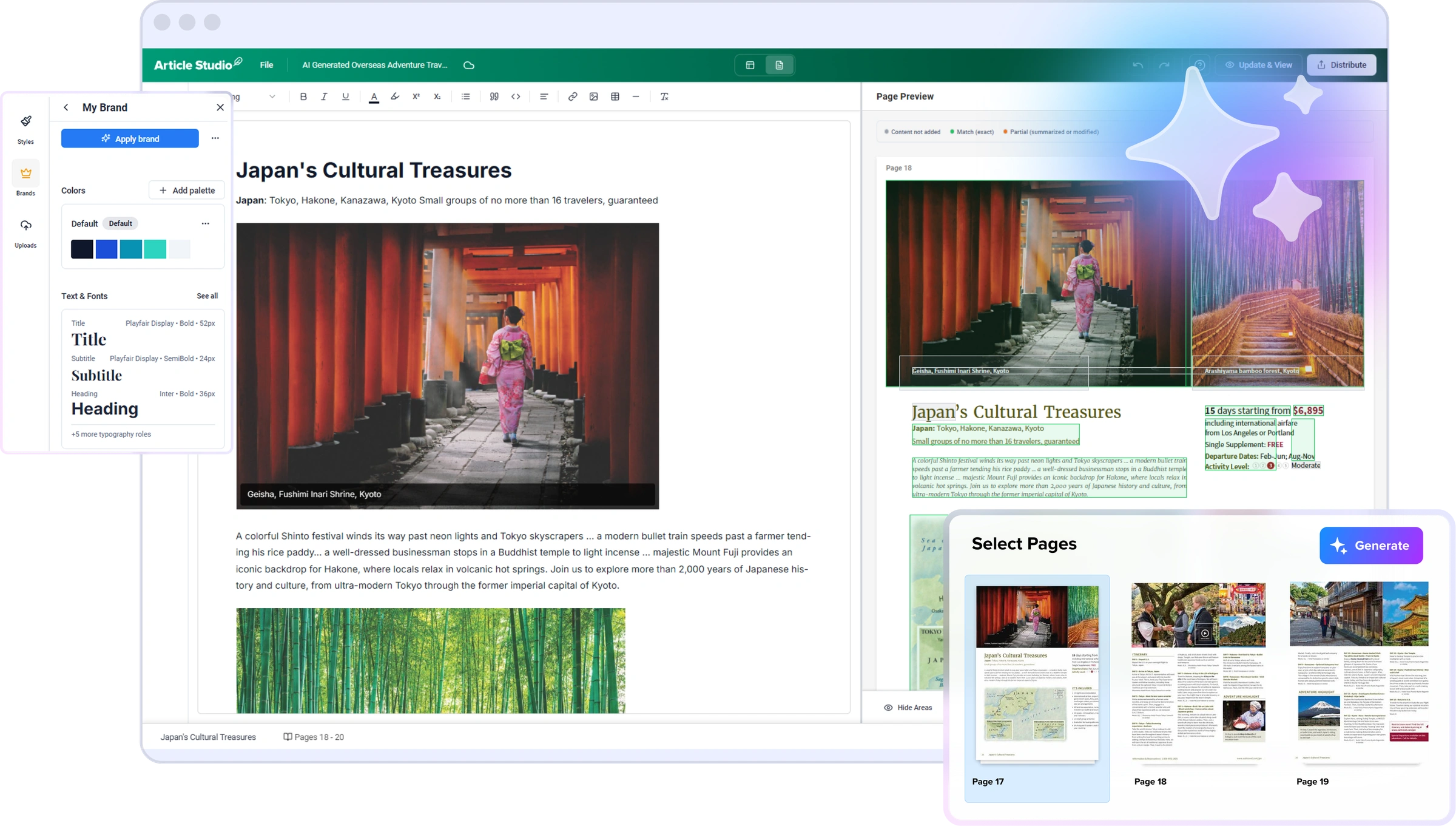
Create your brand kit once with fonts, colors, and typography. Article Studio applies your styles across every article for consistent, on-brand design at scale.
How Article Studio Works
AI Extraction or Tap-to-Select — You Choose
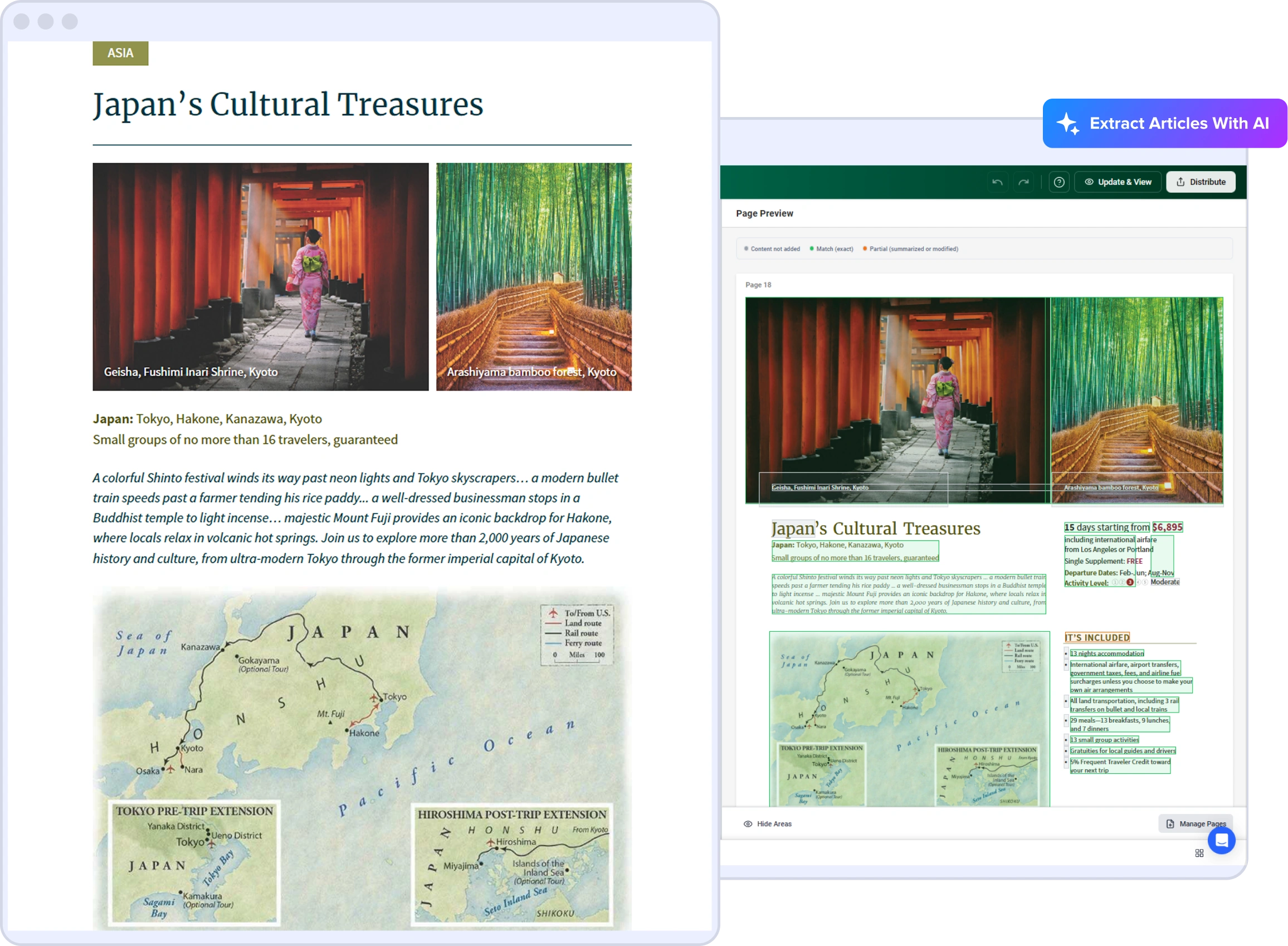
Article Studio gives you two ways to convert PDFs into responsive HTML articles.
Use AI extraction to automatically identify and convert each article, or switch to manual tap-to-extract for full control over what gets included.
Both methods work inside the same editor, letting you balance speed with precision on every publication.
Review and Refine with Confidence
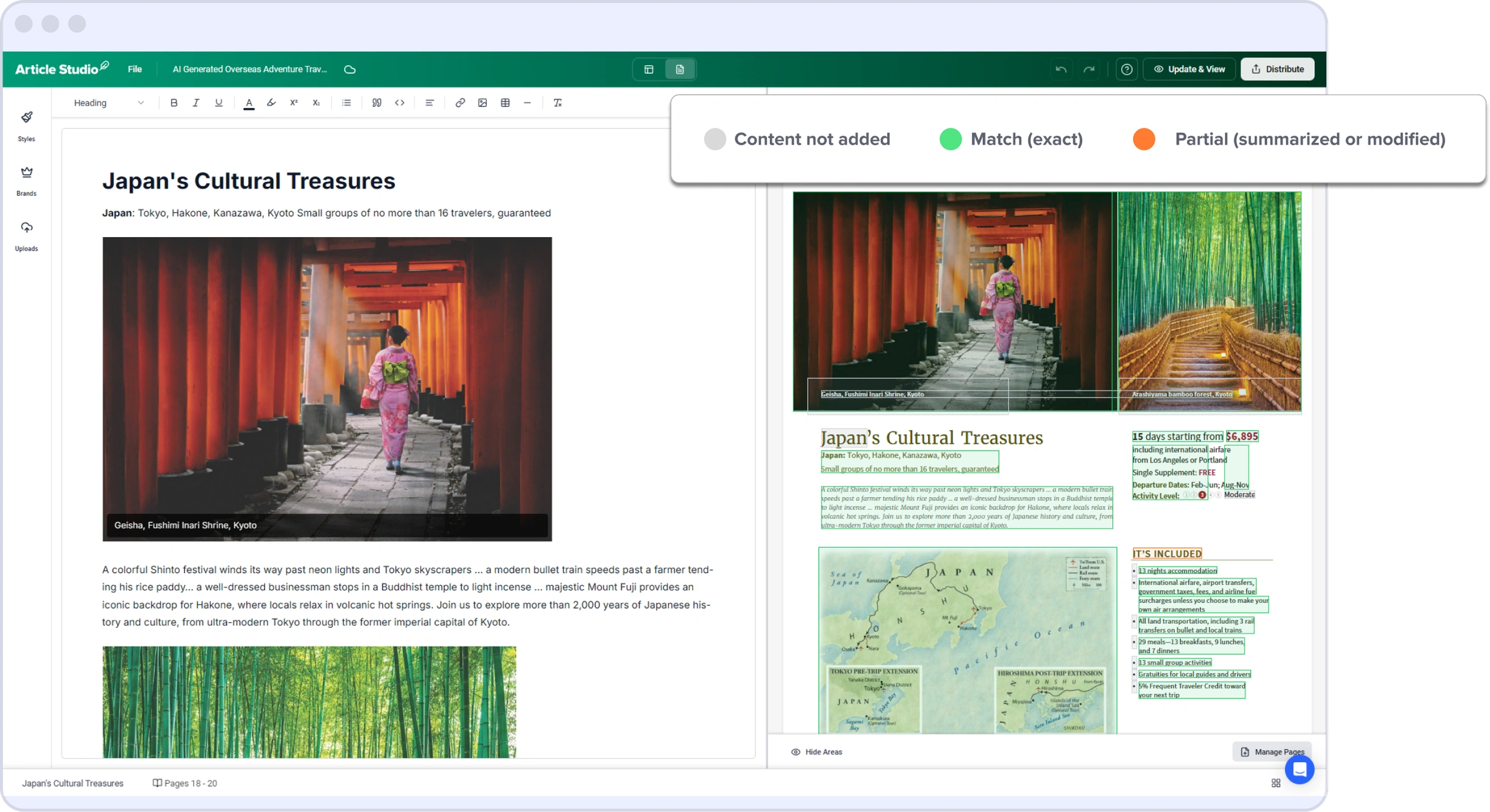
Every extracted section is visually labeled—Exact, Partial, or Not Added—so you instantly see what AI captured correctly and where adjustments are needed.
Edit articles directly in context, streamlining quality control and cutting hours of manual verification.
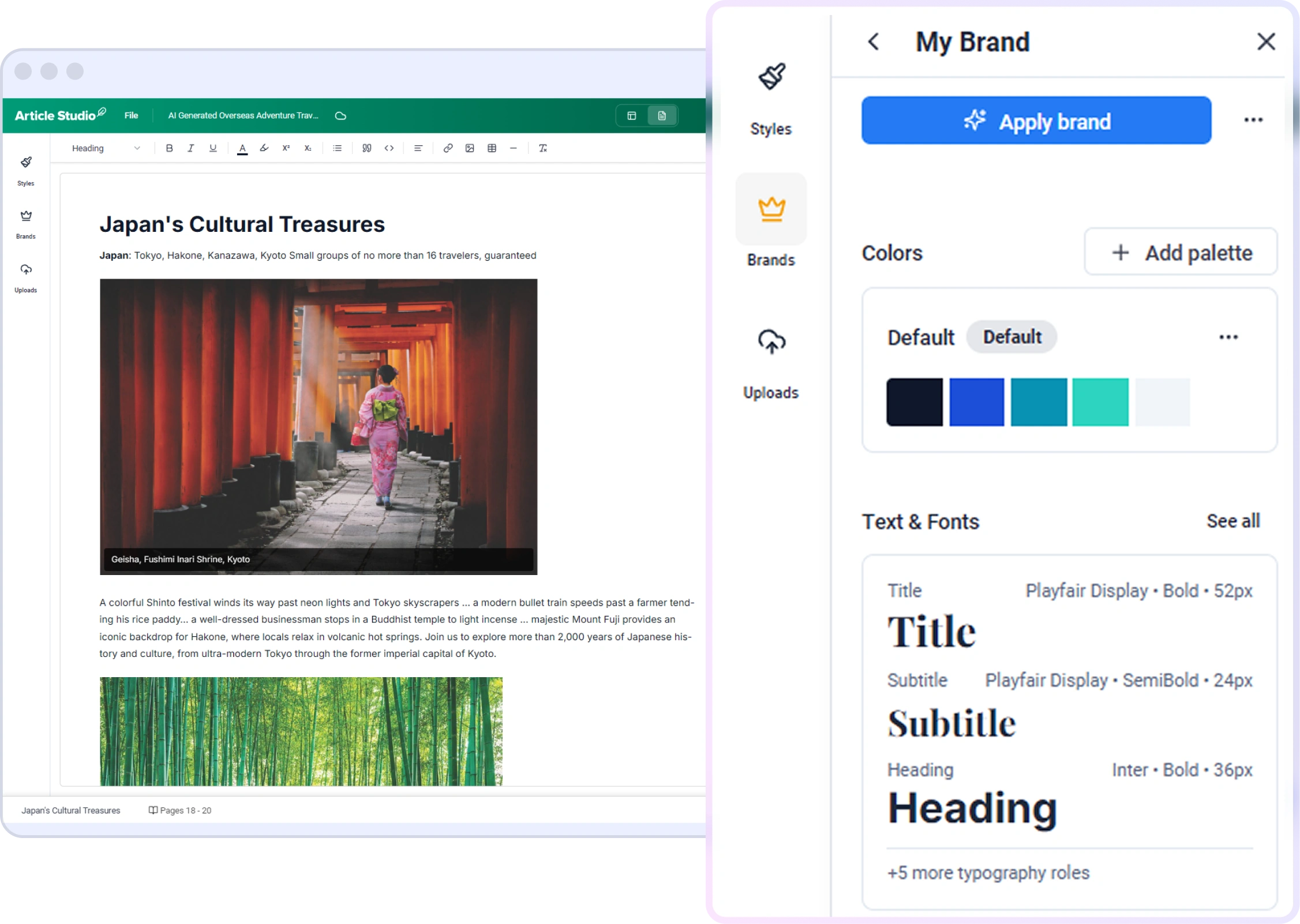
Apply Your Brand Styles in One Click
Set up your brand kit once with fonts, colors, and typography.
Article Studio applies your styles to every article automatically, preserving the look and feel of your high-design PDF publications across every digital format.
Publish Responsive Articles to Any Device

Articles created in Article Studio are published as responsive HTML pages—ensuring a smooth, accessible reading experience on every screen.
Readers can scroll, search, and engage effortlessly. Pair with Article View to let audiences switch between the original PDF layout and the clean article format.
Explore Related Products
Article Studio is part of Joomag's content creation and repurposing suite. Convert PDFs automatically, deliver them in a branded viewer, or turn publications into short-form videos.
Article View
Automatically extract articles from PDFs with AI—no manual editing needed. Ideal for fast, hands-off PDF-to-article conversion.
Learn More →Mobile Reading Experience
Deliver a seamless reading experience across every device with responsive layouts and adaptive design.
Learn More →AI Short-Form Videos
Turn your publications into engaging short-form videos optimized for social media and mobile consumption.
Learn More →Frequently Asked Questions
What is Article Studio?
Article Studio is Joomag's built-in editor for converting PDF publications into clean, on-brand HTML articles. It offers both AI-powered extraction and manual tap-to-extract tools, giving teams full control over how content is converted and styled.
How is Article Studio different from Article View?
Article View uses AI to automatically extract articles from PDFs with no manual editing. Article Studio is a full editor that gives you hands-on control—you can choose between AI extraction and tap-to-select, review accuracy labels, apply brand styles, and refine every detail before publishing.
Can I convert any PDF into an HTML article?
Yes. Article Studio handles complex, multi-column PDF layouts—including magazines, reports, newsletters, and brochures. AI extraction works best on text-heavy content, while tap-to-extract lets you handle design-heavy or unconventional layouts manually.
How does the brand kit work?
You configure your brand kit once with your fonts, colors, and typography styles. When you create or extract an article, Article Studio applies those styles automatically—so every article matches your brand without manual formatting.
Are articles created in Article Studio SEO-friendly?
Yes. Every article is published as structured HTML with proper heading tags, semantic markup, and a unique URL. This makes your content fully crawlable and indexable by search engines—unlike PDF content, which is largely invisible to Google.
Do I need design or coding skills to use Article Studio?
No. Article Studio is designed for content and marketing teams. The tap-to-extract tool works with simple clicks, the AI extraction is fully automated, and the brand kit handles styling. No HTML, CSS, or design software knowledge is needed.