Create and Publish Accessible Digital Publications
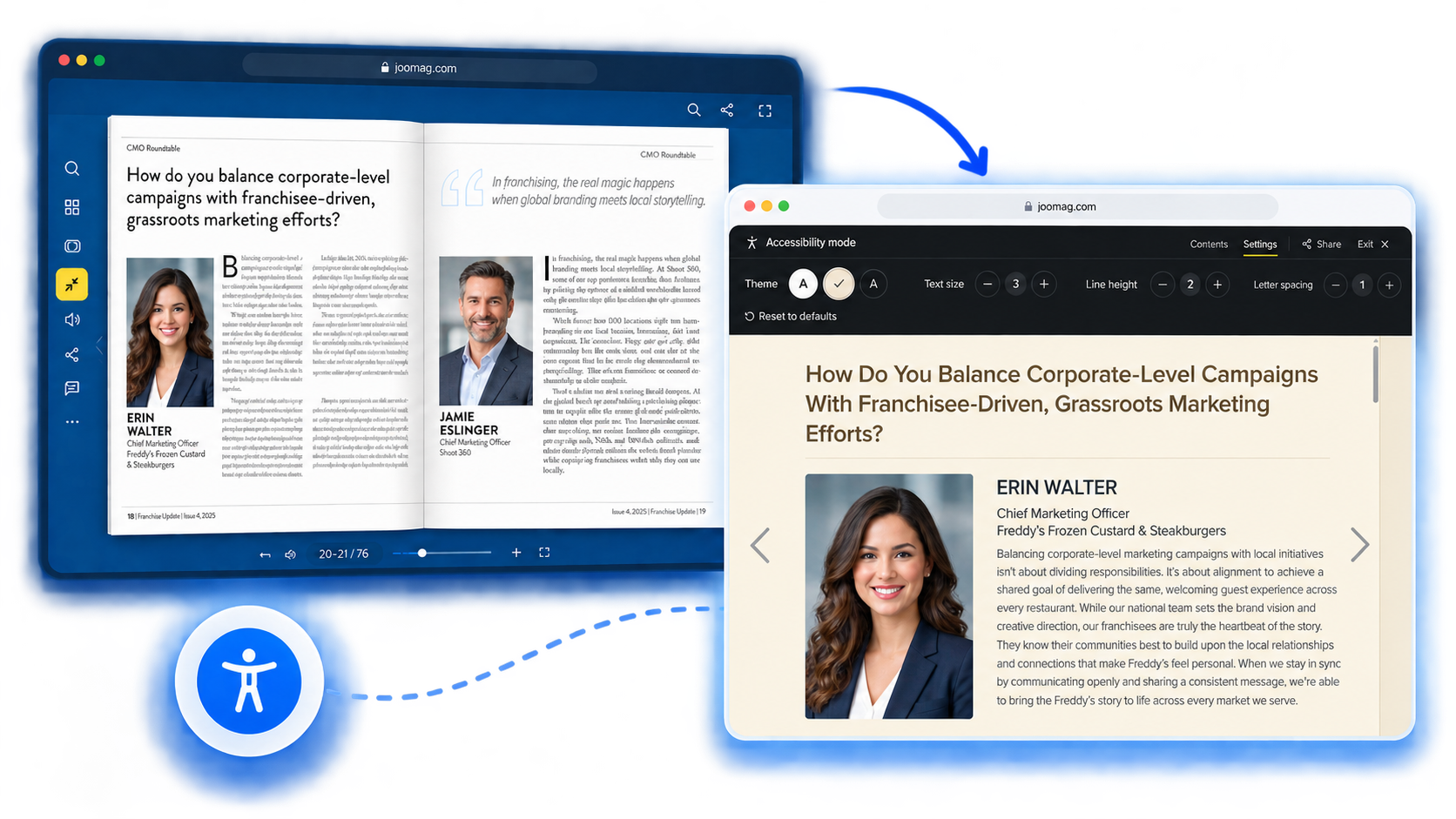
Every reader deserves access to your content. Accessibility mode adds a text reading view to your publications where readers control the font size, spacing, contrast, and theme — built right into the Joomag Viewer.
Trusted by 5,000+ customers and millions of users


Why Create Accessible Publications
Most digital publications are built for sighted readers with a mouse. That leaves a massive audience behind — and it doesn't have to.
Reach the Readers You're Missing
16% of the global population experiences significant disability. That's over a billion people who may not be able to read your publications today. Accessibility mode gives them a way in.

Inclusion Builds Trust
Readers notice when a brand makes room for them. Accessible publications signal that your content — and your company — is built for everyone, not just the majority.

Five Seconds to Set Up
Flip one switch in your publication settings. That's it. No developers, no redesign, no migration. Your readers see an accessibility button in the toolbar on their next visit.
Compliance, Documented
WCAG 2.2 Level AA. Revised Section 508. EN 301 549. ADA Title III. The Joomag Viewer meets them all — and a VPAT is ready when your legal or procurement team asks.
A publication everyone can read
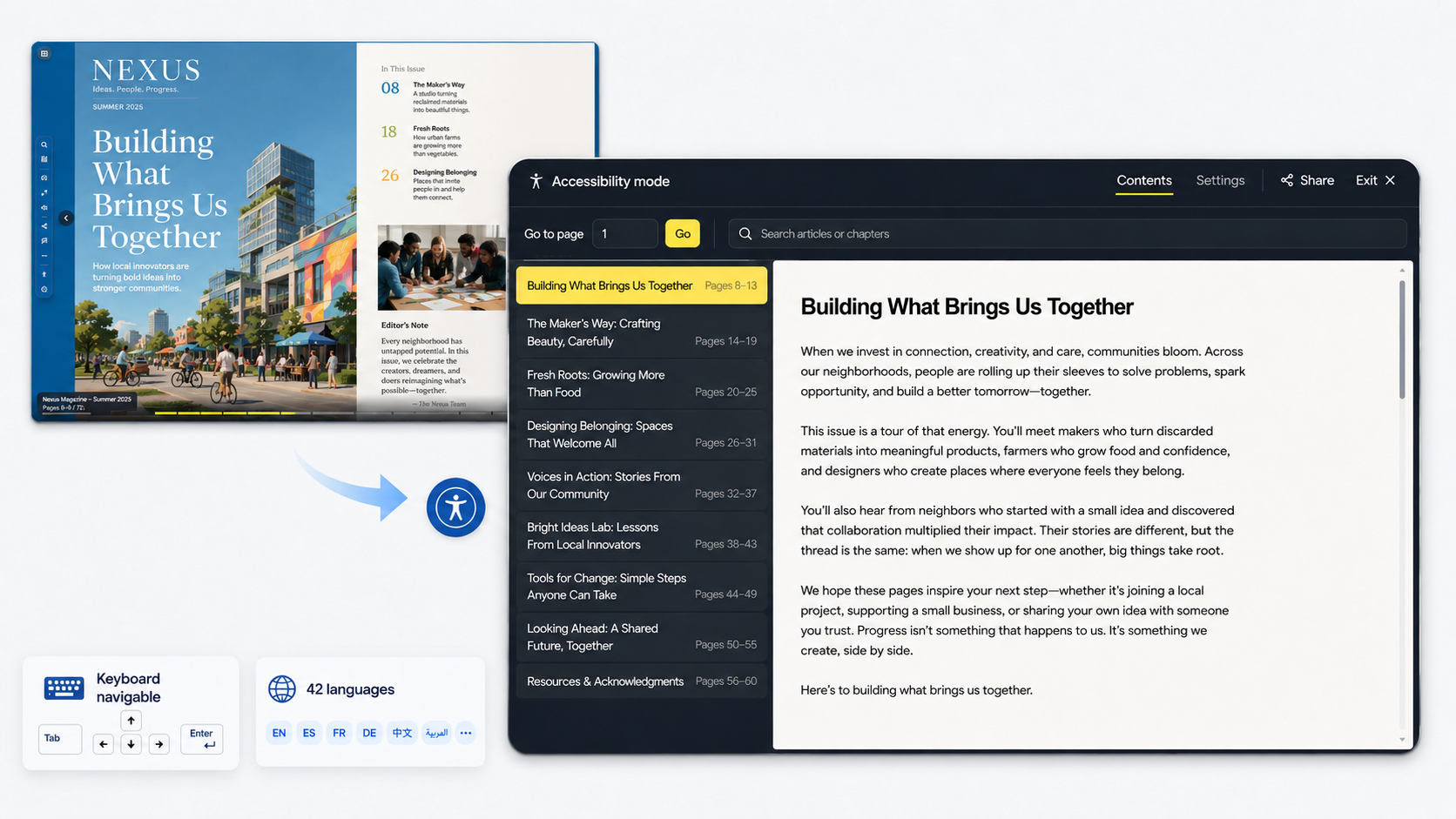
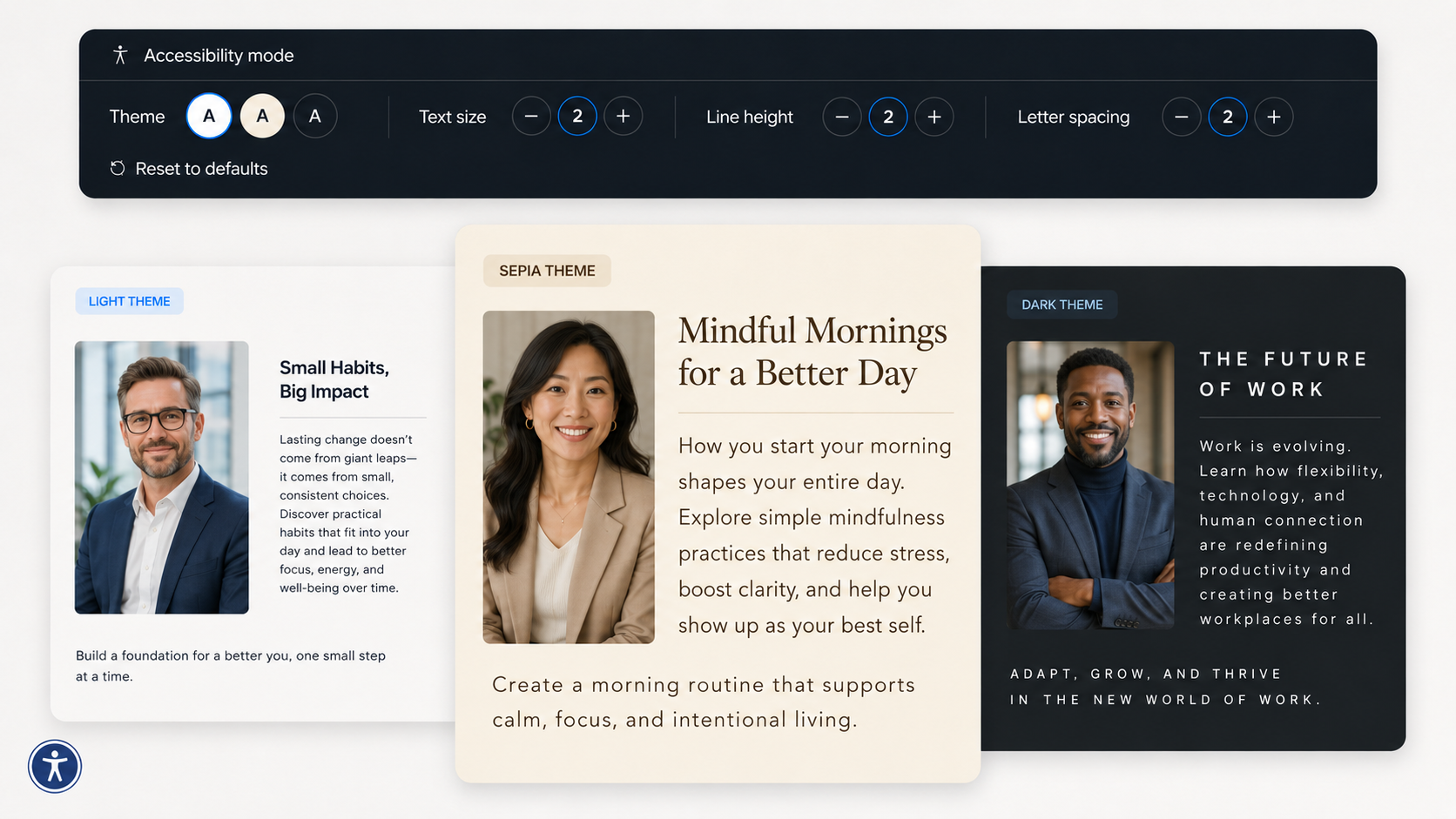
Accessibility mode gives readers a full-screen text view of your publication with everything they need to navigate it and nothing competing for attention.
- Articles read as whole pieces — no page breaks interrupting the flow.
- Jump to any chapter, article, or page from the table of contents or search.
- Fully keyboard navigable — from finding a chapter to reading a long article.
- Available in all 42 languages the viewer supports.
Typography the reader controls
Readers set the text the way they need it, and every adjustment previews live on the words in front of them.
- Three reading themes: Light, Sepia, and Dark.
- Adjustable text size, line spacing, and letter spacing.
- Remembered per device — once a reader dials in their settings, the next publication opens the same way.
Built for compliance, tested with real assistive technology
The Joomag Viewer is evaluated against the leading accessibility standards and tested with screen readers including NVDA and VoiceOver, automated tools, and manual keyboard testing following the WCAG-EM methodology.
A Voluntary Product Accessibility Template (VPAT® 2.5 Rev, International Edition) is available on request.
WCAG 2.2
Level A & AA
Section 508
Revised Standards
EN 301 549
V3.1.1 & V3.2.1
ADA
Title III
More ways we're improving the reading experience
Alongside accessibility mode, the new viewer includes several features that make publications easier and more comfortable to read.
Continue reading
The viewer remembers where a reader stopped. A quiet chip offers the way back — then gets out of the way on its own.
Help and shortcuts
A compact reference for navigation, zoom, reading modes, and sharing. Open it from the toolbar or press the ? key.
Gesture tour on mobile
First-time touch readers see a short overlay teaching scroll, swipe, and pinch. It shows once, not on every visit.
Mute autoplaying audio
Publications with sound get a visible off switch. If a publication loads in a background tab, the viewer mutes itself automatically.
Real reader data
The popularity curve on the reading bar now reflects actual readership — not sample data — so readers can see which pages drew the most attention.
Frequently Asked Questions
How do I enable accessibility mode?
Turn on the accessibility option for your publication — the same toggle the classic viewer already uses. Once enabled, readers see an accessibility button in the viewer toolbar.
Does it require the new viewer?
Yes. Accessibility mode is available on the new viewer. Publications on the classic viewer continue working as before — nothing changes until you switch over.
What can readers customize?
Reading theme (Light, Sepia, or Dark), font size, line spacing, and letter spacing. All changes preview live and are remembered on the reader's device.
Does it affect my publication's design?
No. Accessibility mode is a separate reading view that readers choose to enter. Your original layout, typography, and imagery remain exactly as you designed them.
What languages are supported?
All 42 languages the viewer supports. The interface adapts to the reader's language automatically — no configuration needed.
Is the Joomag Viewer ADA and WCAG compliant?
Yes. The Joomag Viewer conforms to WCAG 2.0, 2.1, and 2.2 at Level A and AA, Revised Section 508, and EN 301 549. It is tested with NVDA and VoiceOver screen readers, automated tools, and manual keyboard testing. A VPAT (Version 2.5 Rev, International Edition) is available on request — contact product@joomag.com.
Make your publications accessible to every reader
Have questions or feedback about accessibility in Joomag? We'd love to hear from you.